Category Archives: IPhone Apps
[Promo Codes] Comic Creator Halftone By Juicy Bits Is Starbucks Pick Of The Week
The great comic creator App, Halftone, is this week’s Starbucks Pick Of The Week.
And, if you don’t live near a Starbucks store, I have three promo codes available- on a first-come, first-served basis – at the end of this article with some polite stipulations. 🙂
[Review] Monsters vs Superheroes Comic Book Maker Will Provide Hours Of Comic Relief
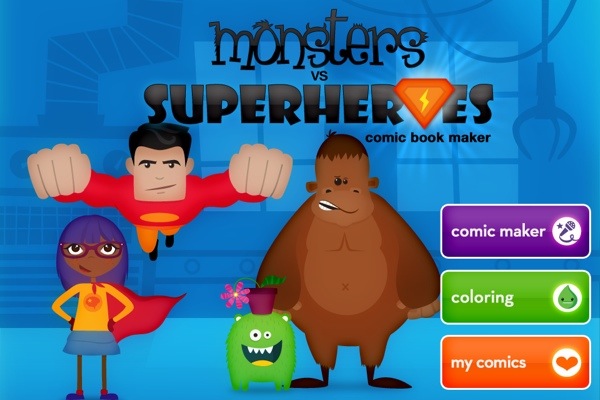
Hands up! Who wants to feel like a kid again? Really and truly?
Well this latest Comic Book App – Monsters And Superheroes – from the award-winning Duck Duck Moose Design should definitely do the trick.
Is it crazy to be a Golden Girl and yet be so in love with this great App for Kids? It is such a magical experience, especially when viewed through the eyes of a child.
I have been anticipating an App like this for my grandchildren – and for me, of course – for a very long time. Children love to create their own stories. And, the very fact that this App allows them to animate their characters is an absolute plus.
Here are some of the innovative features from Monsters To Superheroes Comic Book App:
Create and record your own animated comics! Put multiple scenes together to make a comic strip.
‘Monsters vs Superheroes Comic Book Maker’ includes 55 scenes and coloring pages with 170+ stickers. Splat! Ka-pow! Whizz!
MAKE A COMIC BOOK:
– Drag and drop multiple scenes to create a comic strip
– 27 background scenes: skyscrapers, space ship, the moon, wild west, ice cave, deep sea
– 170+ animated stickers with sound effects
– 29 crayons and 29 colored pencils
– Record your voice. Move the stickers to create your own animated comic!
– Tap the stickers to make their mouths move
COLOR:
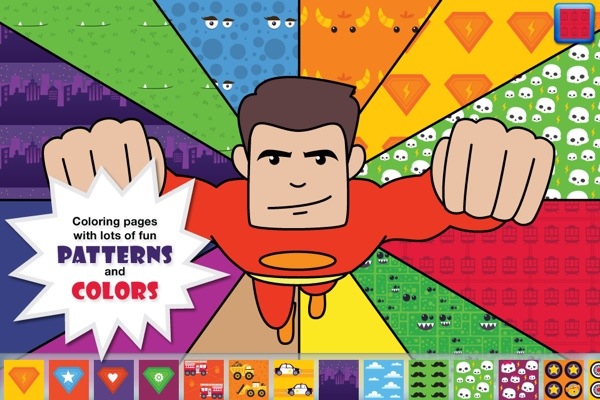
– 28 coloring pages
– Featuring alien monsters, Super Dog, Big Foot, Captain Banana Man, Dinosaurs, Ninjas, and all kinds of fantastic superheroes and cute, fuzzy monsters.
SHARE:
– Save your comic books to share with friends!


And, in case you need further convincing, grab a look at the video below and enjoy the entertaining ride.
The Monsters vs Superheroes Comic Book Maker is now available for the iPod Touch, iPhone and the iPad in the iOS App Store, priced at a more than reasonable $1.99.
Duck Duck Moose is an award-winning creator of educational children’s mobile applications for iOS and Android. It was founded in 2008 by three friends who are parents themselves, and share a passion for children, music, education, design, and play. Duck Duck Moose has created fourteen top-selling titles: Wheels on the Bus, Old MacDonald, Itsy Bitsy Spider, Fish School, Baa Baa Black Sheep, Park Math, Word Wagon, Musical Me!, Puzzle Pop, Peek-a-Zoo, Draw and Tell, Trucks, Princess Fairy Tale Maker, and Monsters vs Superheroes Comic Book Maker. Wheels on the Bus won the KAPi Award for “Best Children’s App” at the 2010 International CES and was featured as one of The New York Times’ “Best iPhone Apps for Kids.” Park Math won the “2010 Best Kids’ iPhone/iPod App of the Year Award” from iLounge. The Company has won eleven Parents’ Choice Awards and twelve Children’s Technology Review Editor’s Choice Awards for Excellence in Design.
Creating Memorable, Frame-Worthy Photos On The IPad Or IPhone

I love printing pictures of family members and then framing them for all to see and enjoy. It has become a full-time passion for me.
I am sure many of you enjoy it as well. So, I decided to share some tips on making what I think are spectacular pictures to hang on your wall.

Also, I decided to use a picture of Steve Jobs to demonstrate my work. I am a stickler for privacy here, so my personal pictures, unfortunately, are inaccessible for mainstream internet.
First of all, if you don’t have all your best photos on your IPhone or IPad, it is best to transfer them from your computer to the Photo App on your chosen device.
There are many ways to do so and ICloud has made this very easy. However, for those of you who do not have ICloud and/or want to use less current pictures, there is a wonderful App out there called PhotoSync
I first learned of PhotoSync from my friends at IPhoneInCanada.Ca. It has been a lifesaver for me, seamlessly and wirelessly transferring photos and videos between computers and devices.
And as a bonus, the PhotoSync Companion is available for Windows or Mac OS X
Plus, it comes packed with features aplenty.
The Mobile Apps are also quick and easy to install on your IPad or IPhone.
Then, once the transfer process is complete, you can further refine your photos before you add additional enhancements.

So, I always access a solid image editing tool like Photoshop Express for IPhone or IPad. It has the basic but all-important tool refinements like, noise reduction, sharpening, exposure, contrast, crop, rotate.
I am big on Noise Reduction. It is a thorough cleanser for the majority of pictures, adding a smooth, flawless texture. And the cropping feature is an important element as well. I used both on the Steve Jobs photo, pictured above.

Then, if you want to get down and funky, download the Camera+ App for IPhone. Unfortunately, there isn’t an IPad App for this photo imaging tool, but the IPhone version is just as efficient on the IPad.
You can achieve some really neat looks with the various options available via this neat image editor. I just love it. But be forewarned-it is terribly addicting.
For the Steve Jobs picture, I used the Diana effect with 84% intensity. But, there were many, many choices within this wonderful App. Just you wait!
And, save many different versions of the same picture. You’ll be glad you did. Depending on the color of your chosen frame, one version of an edited picture may work better than others.
Following this, the fun truly begins. There is a wonderful framing App out there call Imikimi for IPhone and IPad. Once downloaded, you will be treated to vast array of categories to suit every mood or event.
I can’t stress enough how exceptional this App is-it is the closest thing I have seen to digital scrapbooking.

You simply select a photo from your photo library and add it to the empty square box in the frame. Once you do so, you have more options at your disposal to position or enhance the picture.

I often save many different versions within the Imikimi App so I don’t clutter up my Photo App, but you can easily save all your framing projects to the Photo App on your IPad or IPhone.
If there is one drawback to Imikimi, it is the fact that the vast majority of the frames are sized for a square photo, as opposed to a 4×6 or 5×7 etc. Up in my neck of the woods, I found fairly reasonable frames at Michaels, but, depending where you live, you may have more options for purchasing these frames.
And the square formation is perfect for scrapbooking. It is totally your call.
Once you are done, you merely have to print out your picture, using premium photo paper of course.
Let the ink dry overnight, pop it into the frame or scrapbook and you are done. Except for the squeals of delight on the faces of family members and friends once they see your digital work!
Happy Framing! Happy Scrapbooking! And please leave your ideas and thoughts in the comments section.
A Charlie Brown Christmas For The iPad/IPhone/IPod Touch Takes You On a Magical Journey

A couple of nights ago, I was feeling the Christmas spirit and decided to spend $6.99 for the A Charlie Brown Christmas IPad App.
And a better way to blow seven bucks I have yet to encounter!
This classic Charlie Brown tale magically comes alive via the wonders of Apple technology and Loud Crow Interactive.
It is a brilliantly conceived interactive book, resplendent with animated features and personal involvement.
Produced by Loud Crow Interactive, creators of PopOut! The Tale Of Peter Rabbit and PopOut! The Night Before Christmas, this Charlie Brown classic takes on a beautiful and meaningful experience when viewed on the IPad.

It is also available for the IPhone and IPod Touch but, truth be told, one will more fully appreciate this interactive storybook when viewed on a larger screen.
And, for all the non-Apple consumers, this storybook is also available on Android and Amazon devices.
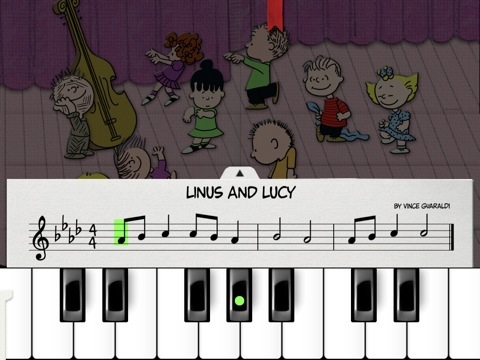
We all grew up with this storybook and now you can share this seasonal tale with your children and grandchildren in a new and meaningful way.
This book offers so much: one can play Schroeder’s piano, finger paint with the gang, go carolling with the Peanuts choir, and participate in the Spectacular Super-Colossal Neighborhood Christmas Lights and Display Contest to unlock decorations for your very own Charlie Brown Christmas Tree!
Check out the trailer below and empty that spare change in your pocket to purchase this book. You will immediately be thankful that you did! And your children will enjoy many hours reveling in the glow of this beautiful story.
Stevie Wonder High Fives Steve Jobs For iOS Accessibility
Well, here’s a nice listen. During his annual WONDER-FULL event in Los Angeles, legendary R&B artist, the great Stevie Wonder praised Apple founder, guru and visionary, Steve Jobs for making iOS devices available to everyone.
At around the 4:38 mark, Stevie Wonder thanks Steve Jobs, for his technological vision saying: “There’s nothing on the IPhone or IPad that you can do that I can’t do”. Very nice to hear.
Enjoy the above video. It’s pretty dissonant sound-wise but still worth the listen.


 GrannieTheGeek.Com