Category Archives: IPad Apps
[Promo Codes] Comic Creator Halftone By Juicy Bits Is Starbucks Pick Of The Week
The great comic creator App, Halftone, is this week’s Starbucks Pick Of The Week.
And, if you don’t live near a Starbucks store, I have three promo codes available- on a first-come, first-served basis – at the end of this article with some polite stipulations. 🙂
[Review] Monsters vs Superheroes Comic Book Maker Will Provide Hours Of Comic Relief
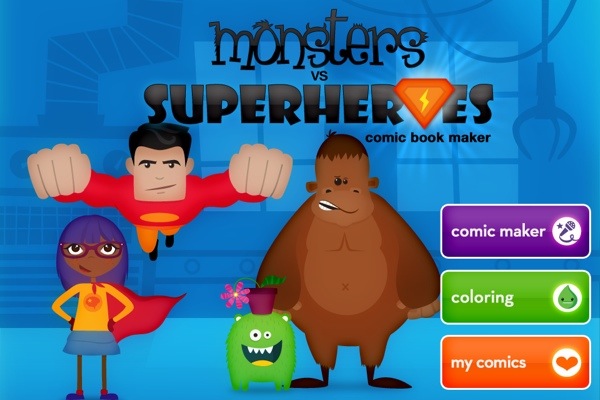
Hands up! Who wants to feel like a kid again? Really and truly?
Well this latest Comic Book App – Monsters And Superheroes – from the award-winning Duck Duck Moose Design should definitely do the trick.
Is it crazy to be a Golden Girl and yet be so in love with this great App for Kids? It is such a magical experience, especially when viewed through the eyes of a child.
I have been anticipating an App like this for my grandchildren – and for me, of course – for a very long time. Children love to create their own stories. And, the very fact that this App allows them to animate their characters is an absolute plus.
Here are some of the innovative features from Monsters To Superheroes Comic Book App:
Create and record your own animated comics! Put multiple scenes together to make a comic strip.
‘Monsters vs Superheroes Comic Book Maker’ includes 55 scenes and coloring pages with 170+ stickers. Splat! Ka-pow! Whizz!
MAKE A COMIC BOOK:
– Drag and drop multiple scenes to create a comic strip
– 27 background scenes: skyscrapers, space ship, the moon, wild west, ice cave, deep sea
– 170+ animated stickers with sound effects
– 29 crayons and 29 colored pencils
– Record your voice. Move the stickers to create your own animated comic!
– Tap the stickers to make their mouths move
COLOR:
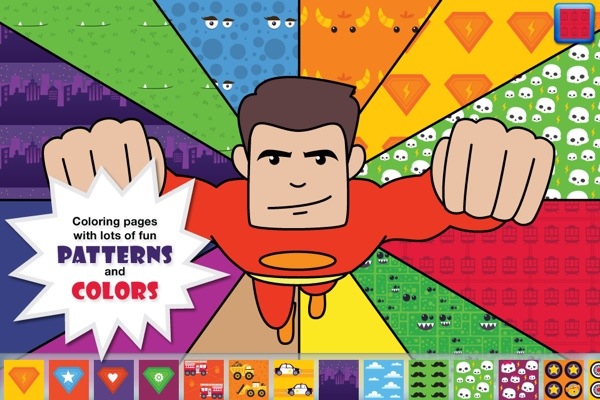
– 28 coloring pages
– Featuring alien monsters, Super Dog, Big Foot, Captain Banana Man, Dinosaurs, Ninjas, and all kinds of fantastic superheroes and cute, fuzzy monsters.
SHARE:
– Save your comic books to share with friends!


And, in case you need further convincing, grab a look at the video below and enjoy the entertaining ride.
The Monsters vs Superheroes Comic Book Maker is now available for the iPod Touch, iPhone and the iPad in the iOS App Store, priced at a more than reasonable $1.99.
Duck Duck Moose is an award-winning creator of educational children’s mobile applications for iOS and Android. It was founded in 2008 by three friends who are parents themselves, and share a passion for children, music, education, design, and play. Duck Duck Moose has created fourteen top-selling titles: Wheels on the Bus, Old MacDonald, Itsy Bitsy Spider, Fish School, Baa Baa Black Sheep, Park Math, Word Wagon, Musical Me!, Puzzle Pop, Peek-a-Zoo, Draw and Tell, Trucks, Princess Fairy Tale Maker, and Monsters vs Superheroes Comic Book Maker. Wheels on the Bus won the KAPi Award for “Best Children’s App” at the 2010 International CES and was featured as one of The New York Times’ “Best iPhone Apps for Kids.” Park Math won the “2010 Best Kids’ iPhone/iPod App of the Year Award” from iLounge. The Company has won eleven Parents’ Choice Awards and twelve Children’s Technology Review Editor’s Choice Awards for Excellence in Design.
Juicy Bits Releases A Juicy New Photo Collage App – Layout – For The IPad

Finally! A Collage App that does what I want it to do! I guess the phrase “All things come to those who wait” really does apply when it comes to technology.
The tactile photo-editing capability is really taking off in a monumental way. Excellent photo-editing apps like IPhoto and PS Touch have pretty much led the way in this revolution.
IBank For IPad App Now Available in the iOS Store.

This IPad thing is not going away. If you’re like me – semi-retired and geeky – you sit around all day, reading and blogging, blogging and reading.
And, with the evolution of the IPad, this makes life much easier and certainly more fun. I love my iMac but I am totally in love and married to my IPad. It’s the first thing I grab in the morning and the last thing I put away in the evening.
Saturday Video Tutorial: A Look-See At The IMovie App For The IPad
I came across this great video tutorial about the amazing editing features of the iMovie IPad App.
It leaves out one small – or large – detail, depending whether or not you are a control freak, as am I,
If you are, then read this article after watching this excellent video.
Also, it gave me the idea to start a “how-to” category on the GrannieTheGeek.Com site – whether they be mine or someone else’s, such as Brennan Spark’s excellent video tutorial in this blog topic.
The important thing is to give readers quick access to technical assistance.
Now, I know many sites already provide this, but this site is aimed for the geeks in process – those who have a passion for technology as I do but have no idea where to start!
Are you an avid IMovie App fan? Do you have any other suggestions? I’m all ears – or fingers – so sock it to me in the comments section.
Also suggestion: Troubleshoot The Placement Of The Audio Clip In The IMovie IPad App


 GrannieTheGeek.Com