Author Archives: GrannieTheGeek
WWDC 2014: Your Homes Are About To Become Smarter And So Much More
 Picture Credit: Apple.Com
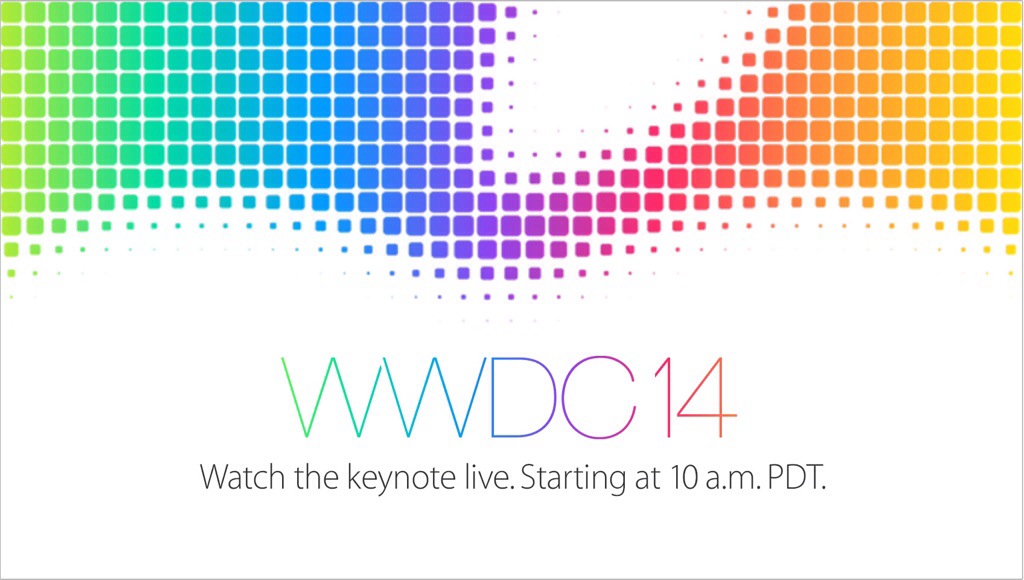
Lots of excitement surrounds the World Wide Developers Conference set to start in San Francisco on Monday, June 2nd at 10:00 AM Pacific (1:00 PM Eastern)
Apple is slated to unveil many exciting new developments culled from behind the barricades of Apple Inc.
Incredible Video Message: Smart Phones And Dumb People

The video below was was written, directed and produced by Gary Turk. It is absolutely riveting. Riveting.
It is a profound commentary on the powerful draw of social media, resulting in complete detachment from the life around you.
According to Gary Turk’s YouTube Channel, he had this to say:
“‘Look Up’ is a lesson taught to us through a love story, in a world where we continue to find ways to make it easier for us to connect with one another, but always results in us spending more time alone.”
This video is a “must-watch”. It’s message remains with you long after the video is over.
As much as I love to “geek” along with all of you, it is absolutely liberating to get out of the house and interact in a REAL way with those around you.
As Gary Turk says – “Smart phones, dumb people”. Do you want this label? Not me.
Watch. Do you agree with the message? Are you a captive of technology or a willing, but discretionary, participant?
Microsoft Word Is Available For The iPad: Get Ready To Press The Delete Button

Seriously Microsoft. What sort of passive-aggressive, self-destructive move propelled you to release the long-awaited Microsoft Word iPad App which came encumbered with the addition of a $99.00 a year subscription?
To expect consumers to pay $99.00/year to use this App when Apple’s iPages App is absolutely free is absolutely mind-boggling.
Additionally, Apple’s iPages allows one to edit documents and then email them in a Microsoft Word format if one desires.
No wonder your stores are empty and Apple’s are filled to the brim.
I mean – the $99 price take was hefty enough for an iOS app – but on a yearly basis? Are you kidding me?
Apparently, this new App is dominating the App Store with exceptional download activity, but has anyone determined how many people, upon learning that they have to pay an exorbitant yearly fee for this App, have also deleted the App? I would love to see those numbers.
And, truth be told, I am so accustomed to using iPages that I have no compulsion to change teams. Because iPages just works – and it, along with the entire iWork suite, is free with new purchases.
What do you think everyone? Did you fork over $99.00/yearly for Microsoft Word’s iOS App? Do you prefer iPages? Share in the comments.
.
Review: Picture Collage Maker 3 For Mac Has All The Bells And Whistles.

I am a bit of an easy target when it comes to Picture Collage Apps. At my stage in life, photo preservation, scrapbooking, photo books, framing etc. – you name it – have become a wonderful way to pass the time and to relive and permanently capture the memories of days gone by.
Events do come and go but can be easily evoked through the creative photo imaging process.
But, the saying, “A Picture Is Worth A Thousand Words”, becomes even more powerful when you combine a number of pictures into one beautiful collage. Or two or three or more!
Enter the newly updated Picture Collage Maker 3 For Mac.
Apple October 22nd iPad Event Will Be Live Streamed On Apple TV And The Internet

In 90 minutes, Apple honchos will take to the stage at the Yerba Buena center in California,
A high degree of fanfare and hoopla has surrounded this particular Apple Event and justifiably so.
A new line of iPads, a MacBook Pro refresh, a new line of really, really, really Smart Covers, an upgrade to the Apple TV unit and more have hit the the rumour mill over the past few weeks.
And to add to the anticipation and excitement engulfing this event, Apple has announced that live streaming will be available via Apple TV and the Official Apple website.
That’s pretty huge if you ask me! There was none of this when Apple launched the iPhone 5C and 5S in September.
Could this be the start of something big – something revolutionary even? It could be!
Here is the quick link, courtesy of TechCrunch:
“For visitors on the web, the event will go live at the Apple Events section of its homepage when it starts in just a few hours. So to recap, you’ll need the following to tune in:
Safari on the Mac or iOS
An Apple TV gen 2 or 3, with the Apple Events channel that arrives special and automatically when things like this go down.”
I will be adding updates right here in this blog topic, so refresh often and tune in for my impressions. It’s going to be an exciting day.


 GrannieTheGeek.Com