Category Archives: Technology
The IWatch Is Coming! The IWatch Is Coming! And So Is My Birthday!
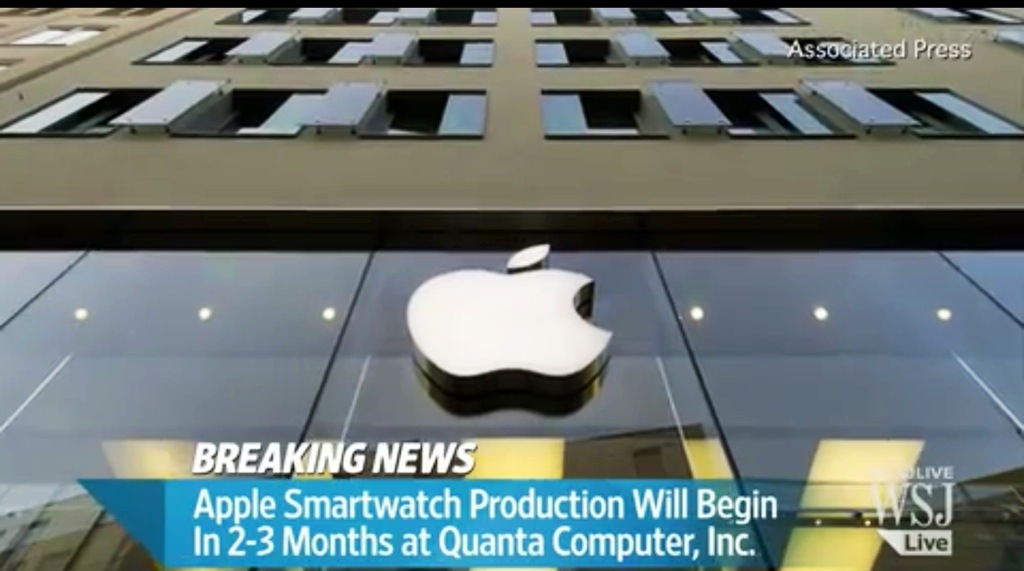
Well, the cat’s out of the bag, courtesy of The Wall Street Journal. It is my favorite “go-to” resource for all things Apple. Because of their strong association with Apple Inc., their information is extremely reliable.
It looks like we will have a spiffy IWatch for sale in late Fall – just in time for gift-giving during the Christmas season. And, coincidentally, I have a birthday around the same time. (Hint! Hint!)
The IWatch is going to be a welcoming gadget in my life. I am tired of carrying around my phone when I am out for a walk and often wished I could just strap it to my wrist. Hands-free is the way to go and it is more efficient.
Here is the WSJ scoop:
“Apple Inc. is planning multiple versions of a smartwatch likely to be launched in the fall, people familiar with the matter said, as the company tries to counter wearable devices from Google Inc., Samsung Electronics Co. and others.
The new wrist device from Apple will incorporate more than 10 sensors including ones to track health and fitness, these people said. Apple aims to address an overarching criticism of existing smartwatches that they don’t provide functions significantly different from that of a smartphone, said a person familiar with the matter.”
The IWatch will also be a health and fitness tracker so now we can stay really obsessed with our health if that strikes your fancy. As a cardiac patient, I know I will value this commodity in the IWatch.
You can read the entire article here
Are your excited to own the IWatch? Which screen size would you prefer? Which functions are you hoping to see in the IWatch? Please share in the comments section.
WWDC 2014: Your Homes Are About To Become Smarter And So Much More
 Picture Credit: Apple.Com
Lots of excitement surrounds the World Wide Developers Conference set to start in San Francisco on Monday, June 2nd at 10:00 AM Pacific (1:00 PM Eastern)
Apple is slated to unveil many exciting new developments culled from behind the barricades of Apple Inc.
Microsoft Word Is Available For The iPad: Get Ready To Press The Delete Button

Seriously Microsoft. What sort of passive-aggressive, self-destructive move propelled you to release the long-awaited Microsoft Word iPad App which came encumbered with the addition of a $99.00 a year subscription?
To expect consumers to pay $99.00/year to use this App when Apple’s iPages App is absolutely free is absolutely mind-boggling.
Additionally, Apple’s iPages allows one to edit documents and then email them in a Microsoft Word format if one desires.
No wonder your stores are empty and Apple’s are filled to the brim.
I mean – the $99 price take was hefty enough for an iOS app – but on a yearly basis? Are you kidding me?
Apparently, this new App is dominating the App Store with exceptional download activity, but has anyone determined how many people, upon learning that they have to pay an exorbitant yearly fee for this App, have also deleted the App? I would love to see those numbers.
And, truth be told, I am so accustomed to using iPages that I have no compulsion to change teams. Because iPages just works – and it, along with the entire iWork suite, is free with new purchases.
What do you think everyone? Did you fork over $99.00/yearly for Microsoft Word’s iOS App? Do you prefer iPages? Share in the comments.
.
How To Manually Back Up Your iPhone To A Computer If It -The iPhone – Is Wearing A Mophie Battery

In a word or two? You can’t.
Don’t get me wrong, I love my Mophie products. I have a portable battery and a wearable one as well for my precious iPhone 5.
But, with the iOS 7 update looming, I thought perhaps it was time to do a manual back-up in addition to the back-up on my iCloud storage plan.
So, I plugged the iPhone into my iMac – something I had not done in a while – and I waited and waited and waited. Nothing happened.
I rebooted, restarted, unplugged, updated both my iPhone and iTunes software. Still nothing.
Well, this was not good.
So, I took a break and went to purchase some Tim Hortons donuts for my America’s Got Talent Performance Finale Party tonight and then it hit me.
My Mophie Battery! Now, maybe it was the Timmies talking, but I had a revelation.
I was using the USB recharging cable from my Mophie product because this is basically how I charge my iPhone every night. Both the battery and iPhone are “joined at the hip” and I just assumed that the USB end of the cable would communicate with my Mac.
Well, guess what? It doesn’t! My iPhone 5 was craving its lightening cable big time.
So, I disconnected the bottom of the battery unit and exposed the original lightening port, plugged in my lightening USB cable and watched the magical import process begin on my iMac.
And that is it. Not a big how-to but important enough nonetheless. Better than tearing out your hair, right? And, if you are reading this and it made your day, then – you’re welcome. 🙂
Is IBeacons The Next Big Thing From Apple?

Just when we thought Apple was losing its magical touch, this article from Computerworld.Com surfaced on this fine Saturday, September 14th morning:
“Computerworld – Nearly a year and a half ago, I predicted that Apple was hatching a “secret plan to kill the cash register.” Now that plan has a name: It’s called iBeacons.
At the end of this column, I’m going to tell you a stunning fact about iBeacons. But first, let’s understand what Apple is hatching.
Apple cryptically introduced the iBeacons initiative at its developers conference in June, identifying the new technology as a feature of the iOS software developers kit (SDK).
In fact, iBeacons is a Bluetooth-based micro-locations system (think very accurate GPS that can be used indoors). But instead of being used by people to determine their own locations, it’s used by retailers, museums and businesses of all kinds to find out exactly where people are, so they can automatically serve up highly relevant interactions to customers’ phones.”
So, what does this all mean? Yes, I was confused at first as well but ComputerWorld lays it out quite nicely for all to envision. Here are the possibilities:
Stores reaching out and giving coupons and advertising to passersby on the sidewalk or in cars. E-Z Pass”-style building access — doors would unlock and open as authorized users approach. A more secure version of this might require a fingerprint scan on the iPhone. Far-more-accurate Passbook location-based alerts. Tour-guide features that could give specific, detailed information on a phone or tablet within a single museum or across an entire city (with iBeacons placed at the specific landmarks and attractions). Theme park family tracking, E-Z Pass-type access to rides and quick, wireless concessions sales. Navigation aids for sight-impaired or physically disabled users inside buildings. Self-service checkout. A customer could scan the labels on clothing, process the transaction on the phone, then stroll out of the store with purchases in hand (the alarm would be de-activated for those items).
This is way too cool and I, for one, am embracing it full on when it arrives. IBeacons Technology! Incredible!
In a nutshell, in the future, if you own an iPhone, you will receive automated coupons from stores based on your location, won’t have to stand in line, will be able to enable self-checkout via your iPhone and on and on it goes. Absolutely incredible.
So it appears that the iTouch Technology Apple introduced at their iPhone event on Tuesday, September 10th has far greater Implications than many of us could ever envision.
And, apparently, every ” iPhone 4S, iPhone 5, iPhone 5c and iPhone 5s already supports iBeacons and everything iBeacons can offer — that’s probably about 200 million actively used phones (give or take 50 million), with Apple’s selling dozens of millions more per quarter”, says ComputerWorld.
I know that many of you would find this an infringement on your privacy but I am sure you will have the option to enable/disable iBeacons at your whim. Apple is all about privacy – always has been – so I have no doubt that your experience with iBeacons will be a secure one.
Bye bye cash registers! Hello self-checkout! Do you think that iBeacons will be Apple’s “Next Big Thing”?


 GrannieTheGeek.Com